A message for our members
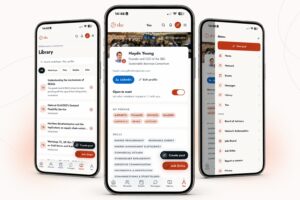
The SBC Network App brings our members together in one place. Connect with peers, find events and resources, ask questions, join projects and explore insights from previous workshops.
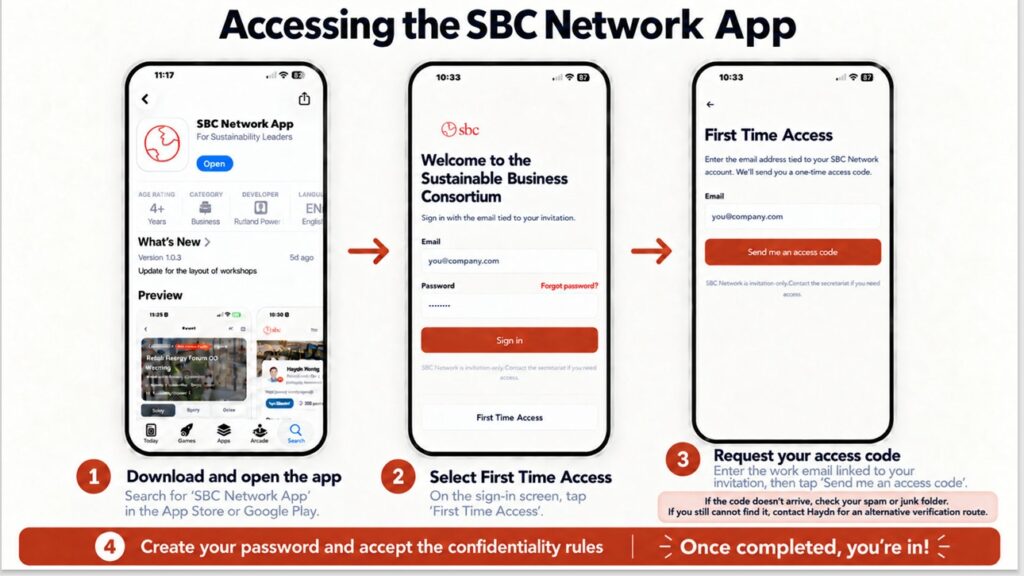
Getting started takes just a few minutes. Follow the steps in the image below:
1️⃣ Download the app
Search for SBC Network App in the Apple App Store or Google Play Store.
2️⃣ Select “First Time Access”
Open the app and tap First Time Access on the sign-in screen.
3️⃣ Request your access code
Enter the work email address linked to your SBC account and tap Send me an access code. Check your spam or junk folder if it does not arrive. If you still cannot find it, contact Haydn for an alternative way to verify your access.
4️⃣ Complete your setup
Enter the code, create your password and accept the confidentiality rules. You’re in! 🎉
Take a look around and start connecting with fellow members. 🌍